
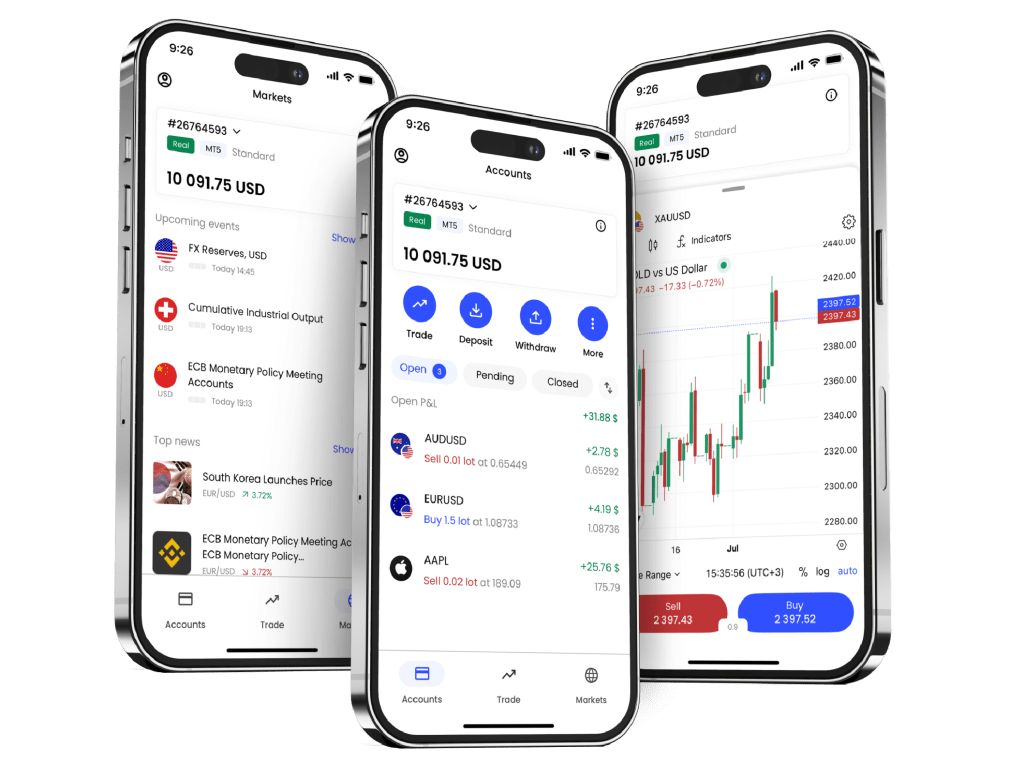
A complete step-by-step guide on how to register, verify KYC, and activate your JustMarkets trading account. Updated for 2025 with the latest interface.
1. Introduction
Opening a JustMarkets trading account is simple and fast. Whether you’re a beginner trying Forex for the first time or an advanced trader looking for better trading conditions, this guide will show you how to create your account, verify your identity, and start trading within minutes.
This step-by-step tutorial uses the latest 2025 interface so you can follow along easily.
2. What You Need Before Registering
Prepare the following items to ensure a smooth registration process:
-
A valid email address
-
A working phone number
-
National ID / Passport / Driver’s license
-
Proof of address (bank statement, utility bill, or government document showing your address)
3. Step-by-Step Registration Process
Step 1: Visit the JustMarkets Sign-Up Page
Click the official registration link below to get started:
👉 http://justmarkets.com
You will be redirected to the secure account creation page.
Step 2: Enter Your Email and Country
-
Type your email address
-
Select your country of residence
-
Create a secure password
Click Register to continue.
Step 3: Confirm Your Email
JustMarkets will send you a verification link.
-
Open your email
-
Click “Confirm Email”
Your account will now be activated.
Step 4: Fill in Your Personal Details
Log in and complete your profile:
-
Full name
-
Date of birth
-
Phone number
-
Residential address
Make sure all information matches your ID documents.
Step 5: Complete Identity Verification (KYC)
To access all trading features, you must verify your identity.
Upload the following:
-
Photo of your ID (front & back)
-
Selfie verification
-
Proof of address dated within the last 3–6 months
KYC is usually approved within 1–3 hours.
Step 6: Choose Your Trading Account Type
JustMarkets offers:
-
Standard Cent (best for beginners)
-
Standard
-
Raw Spread (low cost, great for scalpers)
-
Pro Account
Select the account type that matches your trading style.
Step 7: Deposit Funds
Available deposit methods vary by country but may include:
-
Local bank transfer
-
Visa / Mastercard
-
E-wallets
-
Crypto USDT
Deposits are typically processed instantly.
Step 8: Start Trading
Once your account is verified and funded, you can:
-
Download MT4 or MT5
-
Start trading Forex, Gold, Indices, Crypto, and more
-
Use demo or live accounts
-
Copy expert traders
4. Tips for a Smooth Registration
-
Use your real name exactly as shown on your documents
-
Avoid blurry photos when submitting KYC
-
Use a strong password
-
If you move to a new address, update it before your next withdrawal
5. Final Words
Creating a JustMarkets account is quick and beginner-friendly. After completing registration and verification, you get access to competitive spreads, fast execution, and flexible account types suitable for various trading strategies.
👉 http://justmarkets.com
“Click here to create your JustMarkets trading account now.”
Conclusion
Registering a JustMarkets account is quick, secure, and beginner-friendly. With just a few simple steps—email verification, profile completion, and identity confirmation—you can activate your trading account and access global financial markets instantly. Once your account is verified and funded, you’re ready to explore Forex, Gold, Indices, Crypto CFDs, and more on MT4 or MT5.
Continue reading:
👉How to Trade Professionally on JustMarkets (2026): Account Types, Strategies & Risk Management
👉Trading Instruments on JustMarkets: Forex, Gold, Indices & Crypto (2026 Guide)
👉JustMarkets Pros & Cons: Honest & Updated Review 2026
👉How to Use Copy Trading on JustMarkets (Beginner to Advanced Guide 2026)
👉JustMarkets vs. Other Brokers: Full Comparison 2026 (XM, Exness, ICMarkets, FXTM)
👉 What Is JustMarkets? Full Broker Review for 2026
👉 How to Deposit & Withdraw Funds on JustMarkets (Full Guide 2026)
👉 JustMarkets Spreads & Trading Fees Explained (2026 Updated Guide)
👉 JustMarkets Execution Speed: Is It Good for Scalping?
4 Bình luận
Pingback: JustMarkets Spreads & Trading Fees Explained (2025 Updated Guide) – coin680.com
Pingback: What Is JustMarkets? Full Broker Review for 2025 – coin680.com
Pingback: How to Use Copy Trading on JustMarkets (Beginner to Advanced Guide 2026) – coin680.com
Pingback: JustMarkets vs. Other Brokers: Full Comparison 2026 (XM, Exness, ICMarkets, FXTM) – coin680.com