
How to Use the PRA Plus Marketplace in AdsPower for Automation
(Detailed & Easy to Understand)
The PRA Plus feature in AdsPower allows you to automate tasks such as logging in, account warming, seeding, posting content, and filling out forms — without any coding skills.
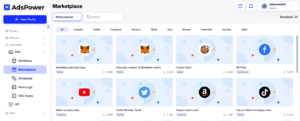
The PRA Plus Marketplace is where you can directly install ready-made automation scripts and use them instantly.
What Is PRA Plus?
PRA (Process Robot Automation) is AdsPower’s built-in automation system.
PRA Plus is an advanced extension that allows you to:
-
Use pre-built scripts from the Marketplace
-
Run automation across multiple browser profiles simultaneously
-
Save time and reduce manual work
👉 Ideal for MMO, account warming, Affiliate Marketing, seeding, and Ads operations.
Step 1: Activate PRA Plus
-
Log in to AdsPower
-
On the main menu, select PRA / PRA Plus
-
If PRA Plus is not activated yet:
-
Upgrade to a plan that supports PRA Plus
-
Or use the trial version (if available)
-
Step 2: Access the PRA Plus Marketplace
-
Go to PRA Plus
-
Open the Marketplace / Store tab
In the Marketplace, you will find scripts such as:
-
Facebook account warming scripts
-
Gmail login scripts
-
Seeding scripts (like, follow, comment)
-
Posting, link-clicking, and form-filling scripts
💡 Scripts are clearly categorized by platform and purpose.
Step 3: Select & Install an Automation Script
-
Click on the script you want to use
-
Review the script details:
-
Functions
-
Running conditions
-
Supported platforms
-
-
Click Install / Add
-
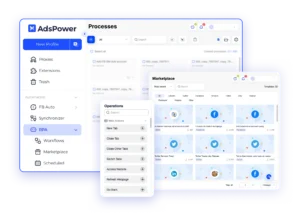
The script will appear in My PRA / My Scripts
👉 No programming required — just install and run.
Step 4: Configure the Script Before Running
Before starting automation, configure:
-
Delay time
-
Number of repetitions
-
Specific actions (login, scroll, click, etc.)
-
Stop conditions (in case of errors)
⚠️ It is recommended to use slow and randomized delays to simulate real user behavior.
Step 5: Run PRA Plus on Multiple Profiles
-
Select the Browser Profiles you want to run
-
Click Run PRA
-
Choose the installed script
-
Click Start
AdsPower will:
-
Open each profile
-
Perform automated actions according to the script
-
Display execution status (success / error)
Common Automation Features in PRA Plus
✅ Automatic login for email / Facebook
✅ Scheduled account warming
✅ Like, follow, watch videos, scroll
✅ Post content and comments using templates
✅ Click links, fill forms, and submit
👉 Supports running dozens of profiles at the same time.
If you want, I can also:
-
Rewrite this as official documentation
-
Shorten it for a landing page
-
Adapt it for AdsPower affiliate content
Just tell me 👍